
What Termilly is good at.
The highlights first, then everything else by name. The docs explain each one.
Workspaces and layout
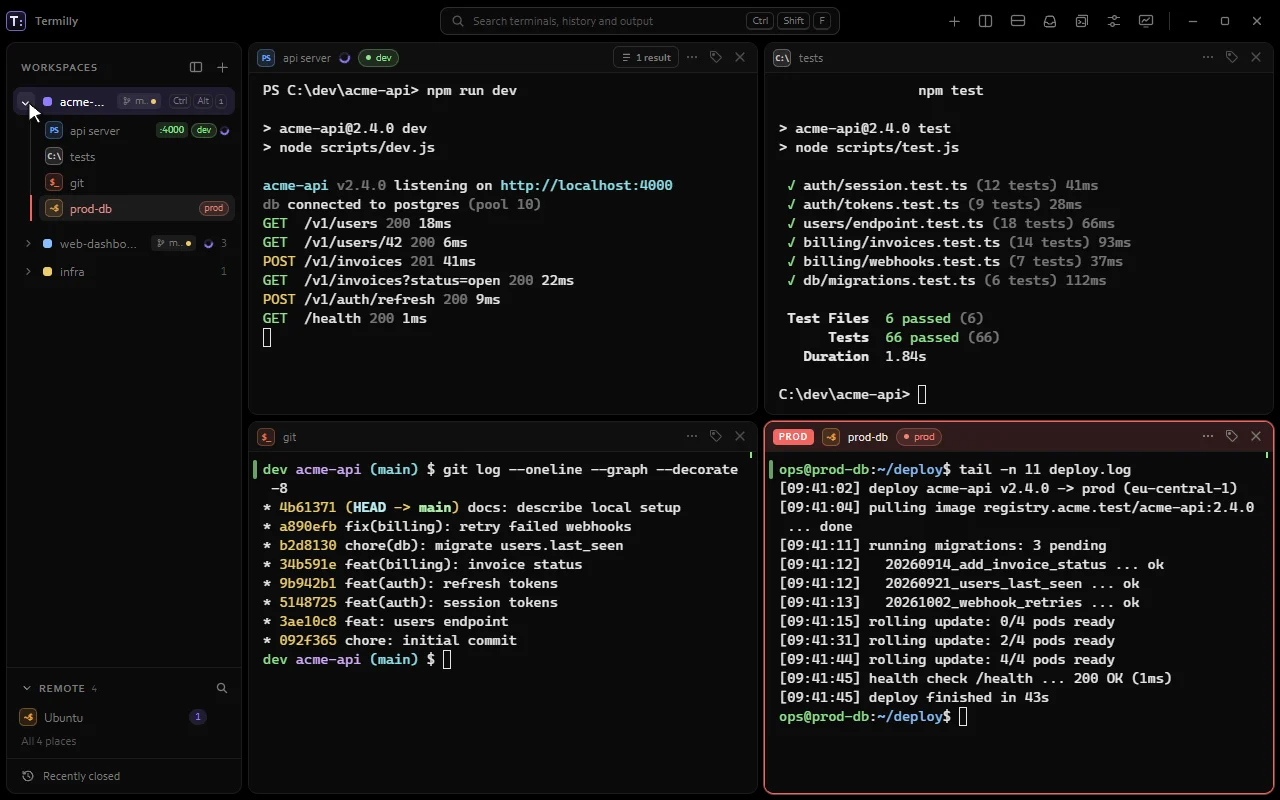
A workspace for every project, back after every restart.
CtrlShiftN
Keep each project's terminals together with their splits, tabs and folders. Switch with Ctrl+Alt+1 to 9. Close Termilly, restart the PC or let it crash: your terminals come back in their folders, with their last output.
- Restore after a restart or crash
- Keep shells running when Termilly closes
- Drag panes to dock them
- Project layouts in .termilly.yml
Coding agents
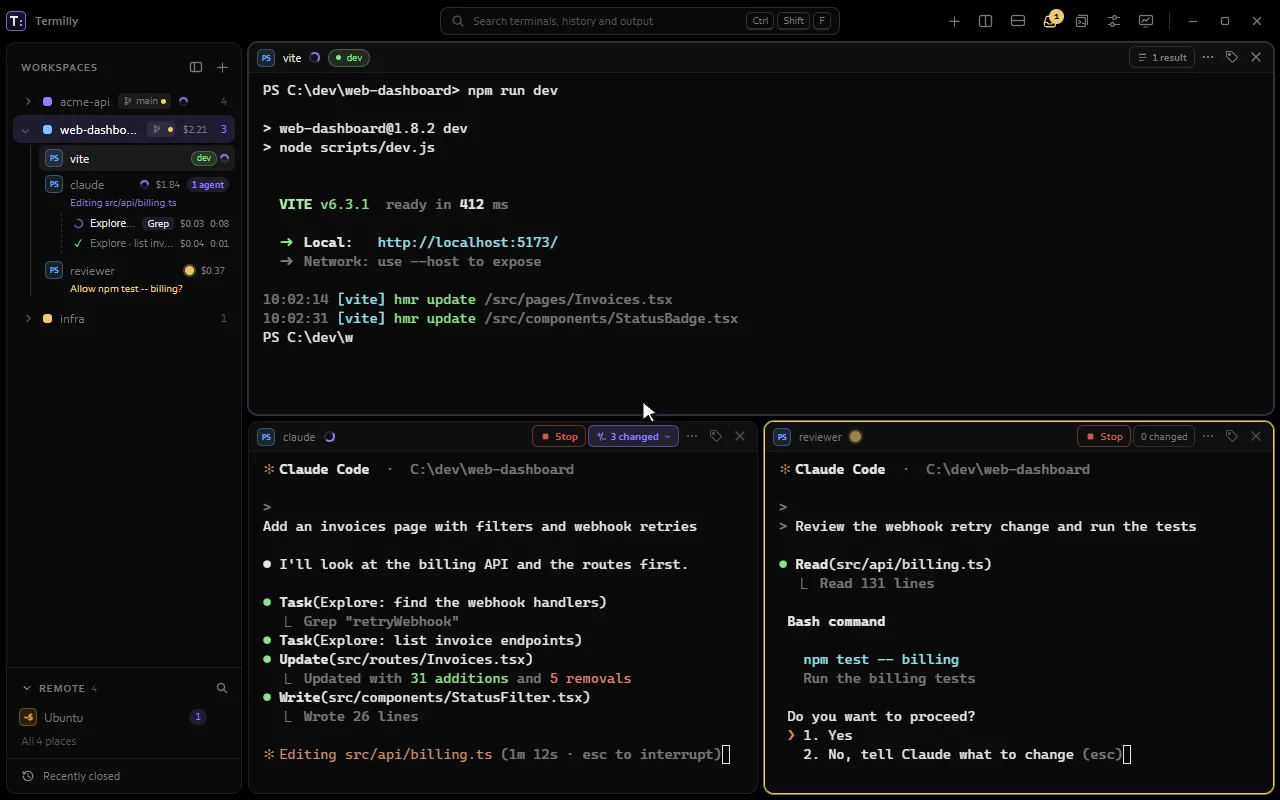
Run many agents. Know which one needs you.
Each Claude Code terminal shows whether it's working, waiting for you, finished or failed. The Notification center lists every agent that needs you, longest wait first, and one key takes you to the next.
- Notification center
- Next terminal that needs you
- Desktop notifications
- Subagents
- New agent in worktree
Coding agents
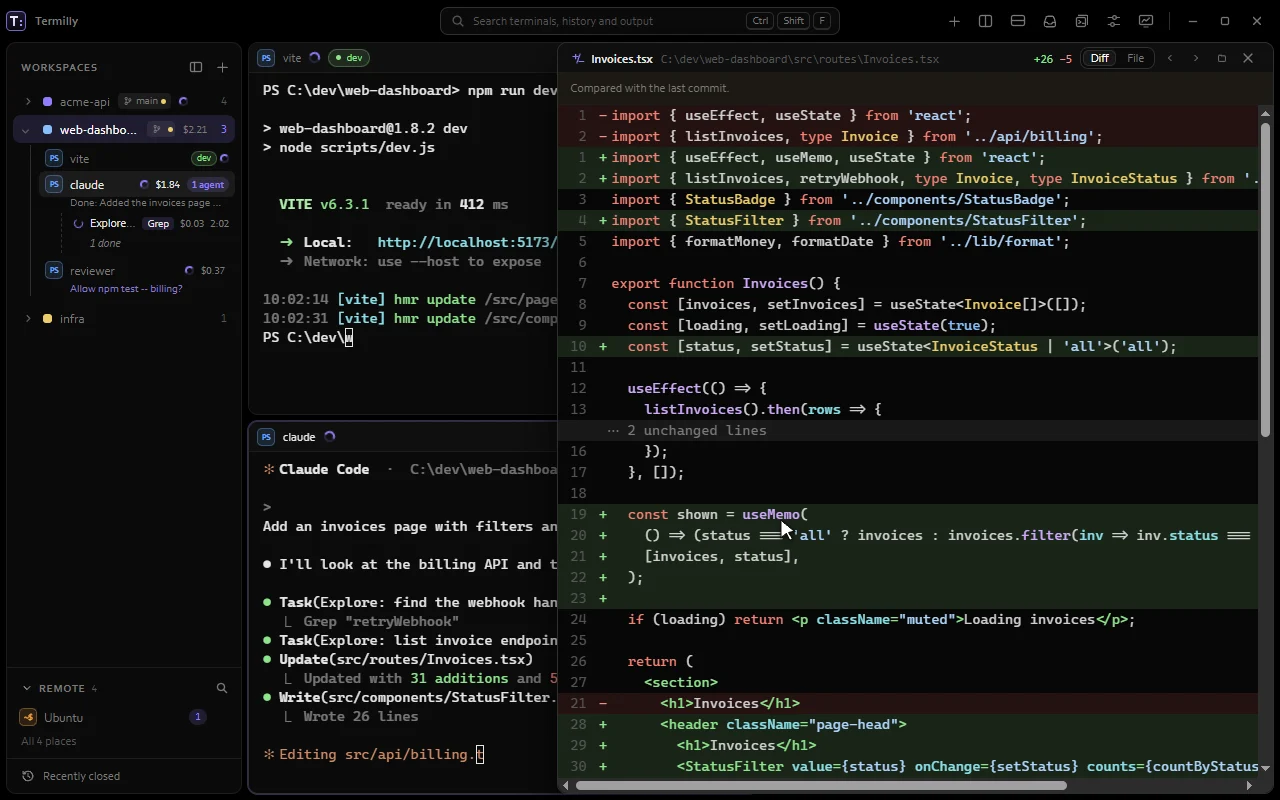
See every edit Claude makes, as it makes it.
CtrlShiftD
Each change opens as a coloured diff or the whole file, next to the terminal or in its own window. Step through every file Claude touched, including the ones it changed with shell commands.
How it works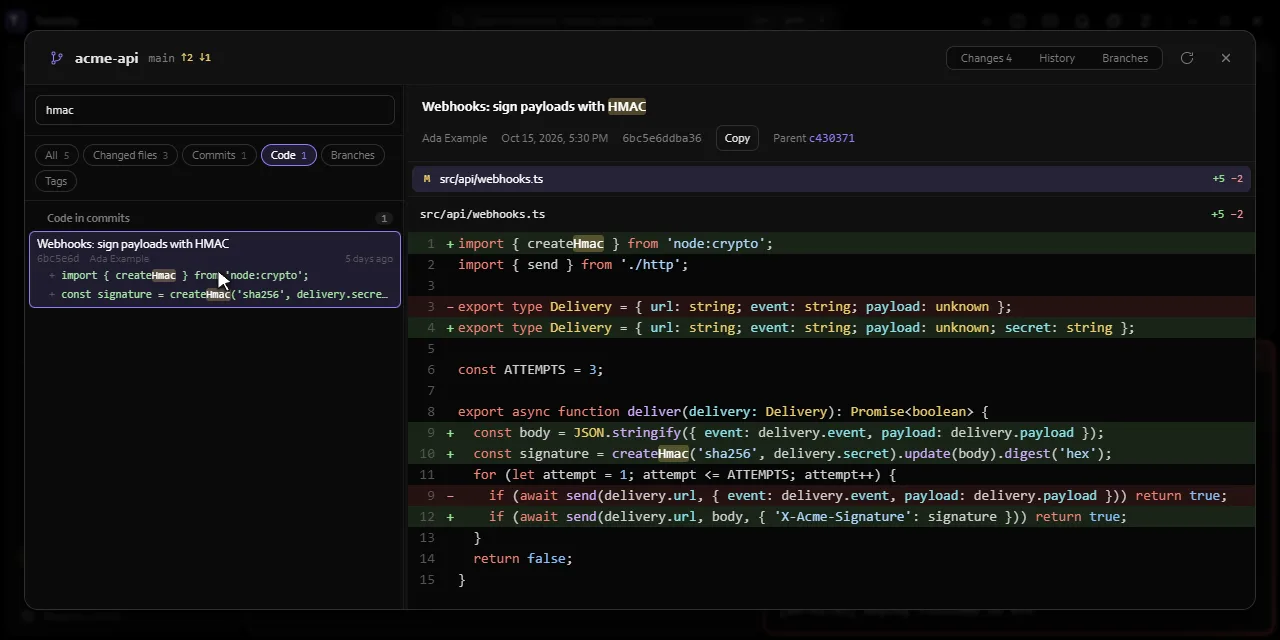
Git
Your repository, right next to your terminals.
CtrlShiftG
Changes, history and branches with every diff in one window. Search the whole repository at once, stage and restore files, switch branches, and see changed images as pictures.
- Search the repository
- Stage, restore and switch
- Images as pictures
- Agent changes in the Git window
- Git branch in the sidebar
Find and reuse
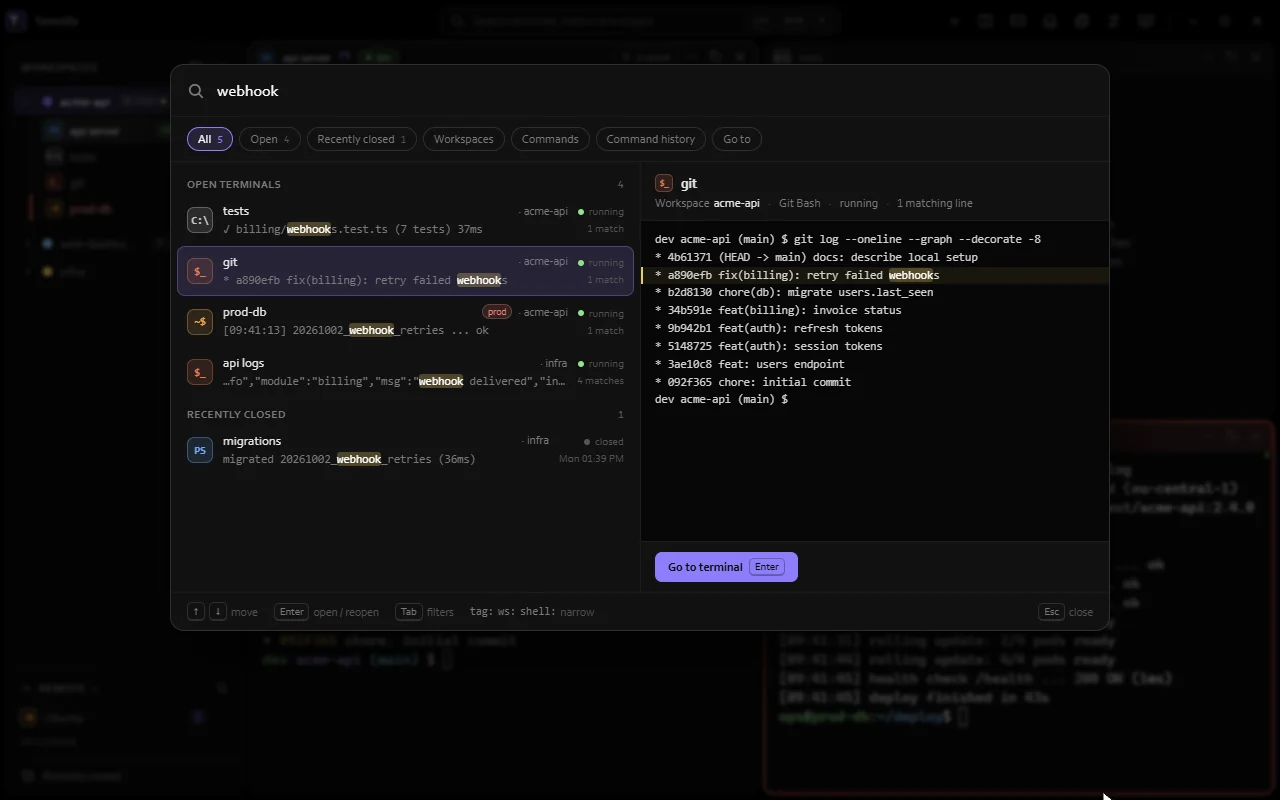
Find any output, even from a terminal you closed.
CtrlShiftF
One search covers open and closed terminals, their output, workspaces, commands and settings. Narrow it with tag:, ws: or shell:, and jump straight to the line.
How it works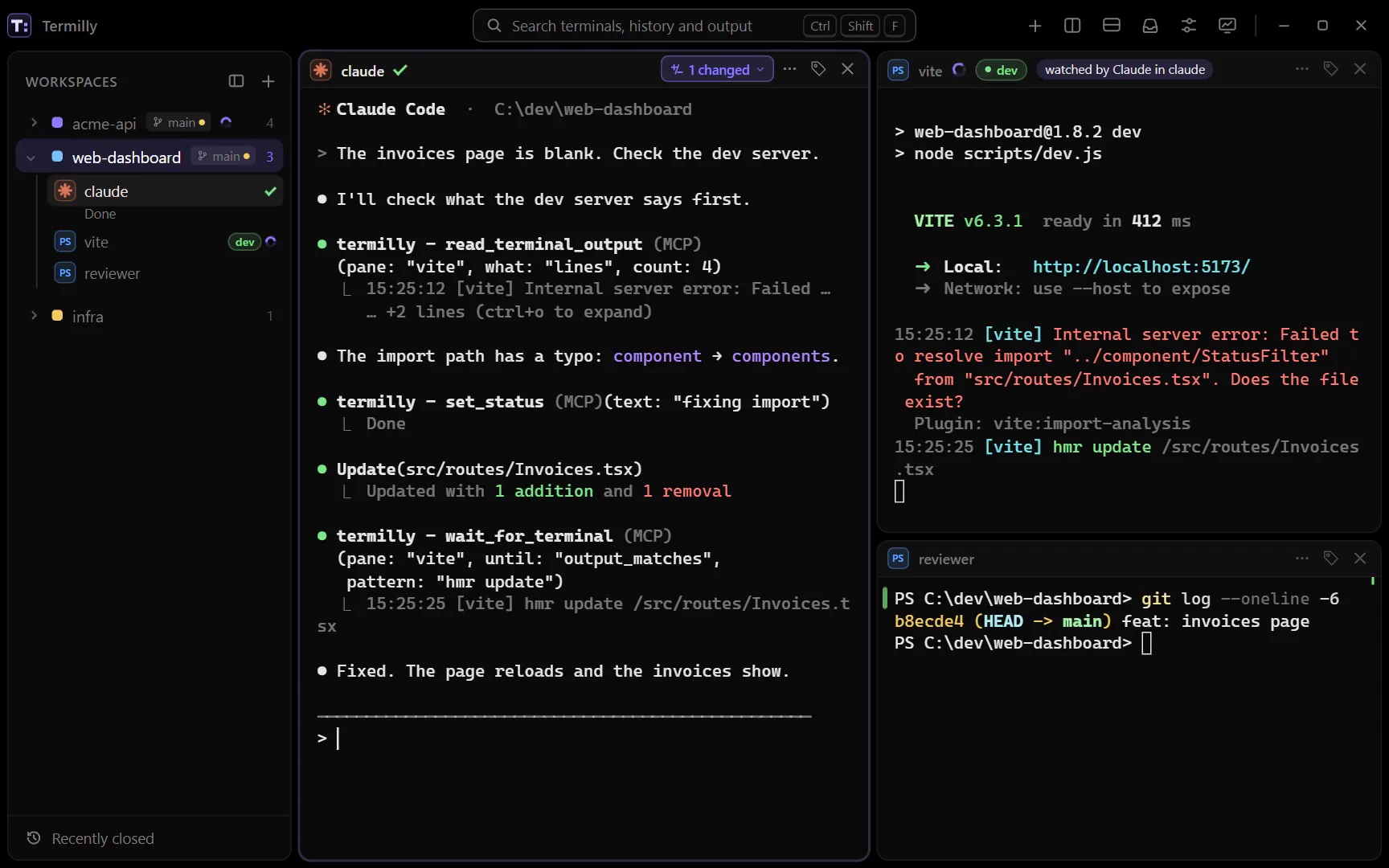
Scripts and automation
Let scripts and agents drive your terminals.
The termilly command and the MCP server can open terminals, type into them, wait for a line like a server saying it's ready, and read the result. You decide which terminals they may read or type into.
How it works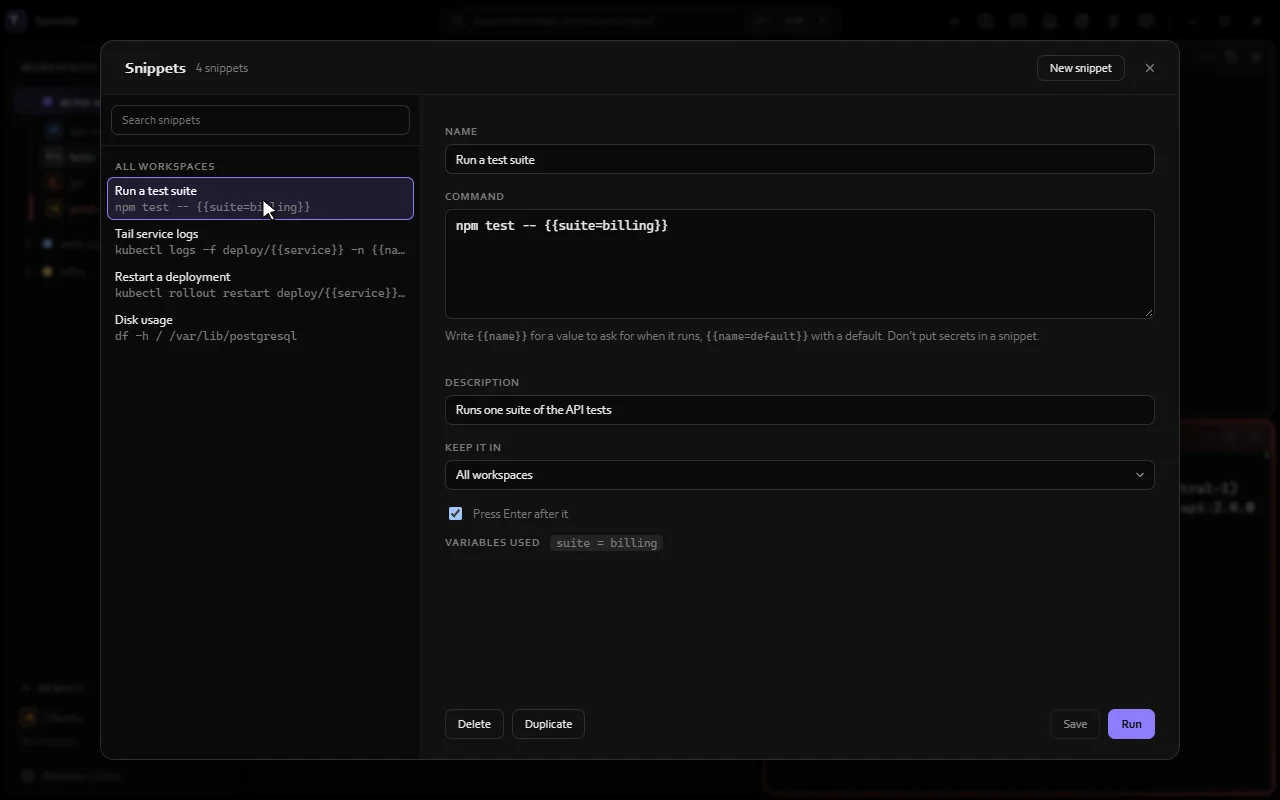
Find and reuse
Commands you repeat, a few keys away.
Save a command with {{placeholders}} and run it in one terminal or many at once. Type snippet: at the prompt to pick one without leaving the keyboard.
How it works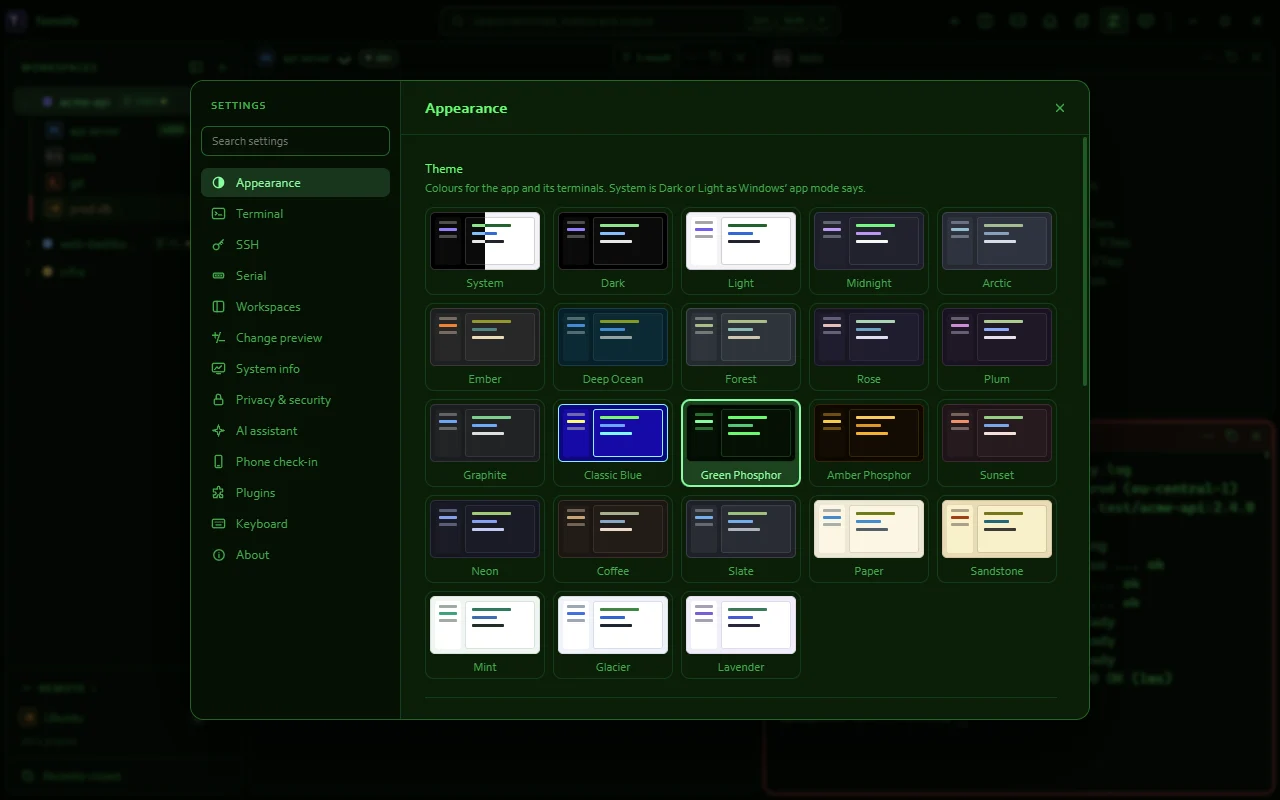
Look and feel
Make it look the way you like.
Dark, Light, System and 20 colour themes, each previewed before you pick it. Choose your own fonts, line height and cursor.
How it worksAnd also
Everything else Termilly does. Each name opens its part of the docs.
No feature matches that. Try a shorter word, such as tab, agent or ssh.
Workspaces and layout
- New workspace dialog
- Switch workspaces from the keyboard
- Workspace menu
- Confirm before closing a workspace
- Sidebar
- Peek into other workspaces
- Splits
- Tabs
- Move focus between panes
- Move terminals to tabs
- Move to workspace
- Rename terminals
- Tags
- Notes
- Go to
- Workspace layouts as files
- Recently closed
- Ask before quitting
- Minimize and Close to the tray
- Scratch terminal
- Open in Termilly
- Listening ports
- Activity at a glance
Shells and remote machines
- Shells found for you
- A shortcut per shell
- Your own profiles
- SSH hosts from your config
- SSH connections
- Import SSH sessions
- Port forwards
- Reconnect when the connection drops
- Keepalives
- SFTP panel
- Attach tmux
- Containers and pods
- Serial ports
- Network consoles
- Serial tools in the terminal menu
- Remote section
- Copy and paste
- Drop files on a terminal
- Restart a shell that exited
Coding agents
Find and reuse
Safety and production
Scripts and automation
Look and feel
Privacy and sync

Download Termilly
Windows 10 (version 1903 or later) and Windows 11, 64-bit, or Debian and Ubuntu.
-
Download
WindowsFull installer
About 270 MB. Carries .NET and WebView2, so it works without an internet connection.
-
Download
WindowsOnline installer
About 10 MB. Downloads .NET and WebView2 from Microsoft while it installs.
-
Download
LinuxDebian and Ubuntu package
About 1 MB. apt installs .NET and WebKitGTK with it.
Or install from a terminal
-
WindowsPowerShell
irm https://termilly.com/install.ps1 | iex -
WindowsCommand Prompt
curl.exe -fsSLo install.cmd https://termilly.com/install.cmd && .\install.cmd && del install.cmd -
LinuxTerminal
curl -fsSL https://termilly.com/install.sh | sh